Your sound library, searchable in an instant.
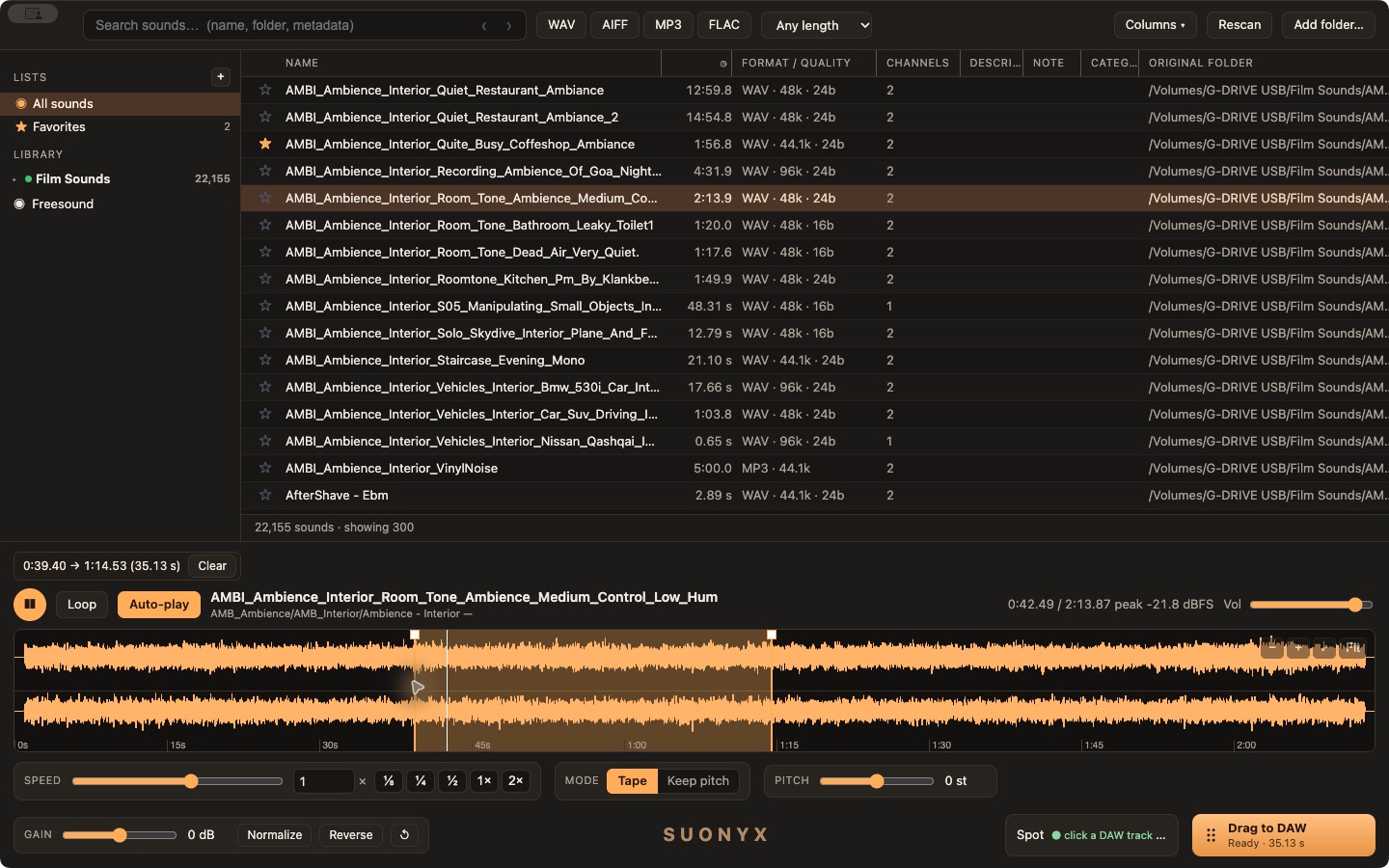
A local sound-effects browser for film and music editors. Index folders and external drives, search by name or metadata, shape the waveform, and drag the result straight into your DAW — all without leaving your Mac.
Early build — not yet notarized by Apple, and Intel support has only been tested under Rosetta emulation, not on a physical Intel Mac.
Built for sound editors
Everything runs on your Mac. No upload, no account.
Local & private
Index any folder, including external drives — WAV, AIFF, MP3, FLAC. Only paths and metadata are stored; your audio never leaves your disk, and files grey out instead of disappearing when a drive is unplugged.
Instant search
Search by filename, folder or embedded metadata across tens of thousands of files. Sortable, resizable columns, favorites, collections, related-search suggestions, and search history.
Waveform editing
Mono or dual left/right waveforms, zoomable selection, draggable fades. Change speed with pitch following (Tape) or keep the pitch fixed while stretching, plus independent pitch, gain, normalize and reverse — heard live before you commit.
Straight into your DAW
Drag the processed selection directly into Pro Tools or Ableton. Or set a Spot with one click on the timeline, come back to SUONYX, and press S to drop the sound exactly there.
Freesound, side by side
Search Freesound alongside your own library. Local and Freesound results are clearly marked, with streaming preview, waveform, and the creator and licence shown before you use anything. Requires your own free Freesound account and API key, entered once in Settings.
Stays out of the way
Designed to live in a corner of the screen next to your DAW or a film reference — compact controls, a console-dark interface that won't fight for attention.
Frequently Asked Questions
What is SUONYX?
SUONYX is a local sound-effects library app for Mac. It lets film and music editors index folders and external drives of sound files, search them instantly by name or metadata, preview and shape the waveform (speed, pitch, gain, fades), and drag the result straight into Pro Tools or Ableton.
Does SUONYX work on Windows?
No. SUONYX is a Mac-only desktop app and does not run in a web browser.
Does SUONYX require Homebrew or the Terminal?
No. SUONYX bundles the audio processing it needs (FFmpeg) inside the app itself. Download it, open it, and it works — no Terminal commands, no Homebrew, no separate installs.
Does SUONYX upload my sound library anywhere?
No. SUONYX runs entirely on your Mac. Only file paths and metadata are indexed in a local database — the audio files themselves stay on your drive and are never uploaded.
Can SUONYX drag sounds directly into Pro Tools or Ableton?
Yes. You can drag the processed waveform selection straight from SUONYX into Pro Tools or Ableton, or use the Spot shortcut to drop a sound at an exact position you picked on the DAW timeline.
What audio formats does SUONYX support?
WAV, AIFF, MP3 and FLAC.
Is SUONYX notarized by Apple?
Not yet. macOS will show a security warning the first time you open it — right-click the app and choose Open to run it anyway. This is an early build; notarization is planned before a full public release.
Before you install
SUONYX is a Mac-only desktop app — it is not available for Windows, and it does not run in a browser. It isn't notarized by Apple yet, so macOS may show a security warning the first time you open it: right-click the app → Open. It targets Apple Silicon and Intel Macs on macOS 13 or later, but it has been tested directly only on Apple Silicon — Intel support has only been verified under Rosetta, not on a physical Intel Mac, so please report anything unusual. You'll need your own Freesound account and API key to use the Freesound search — SUONYX never ships with one built in.
Open-source notices
SUONYX bundles an unmodified build of FFmpeg for audio processing (speed, pitch and time-stretching) — that's why no separate install is needed. FFmpeg is licensed under the LGPL; its licence text and version are included inside the app (About SUONYX), and its corresponding source code is freely available from the official project at ffmpeg.org. SUONYX's own source code is proprietary and not distributed.